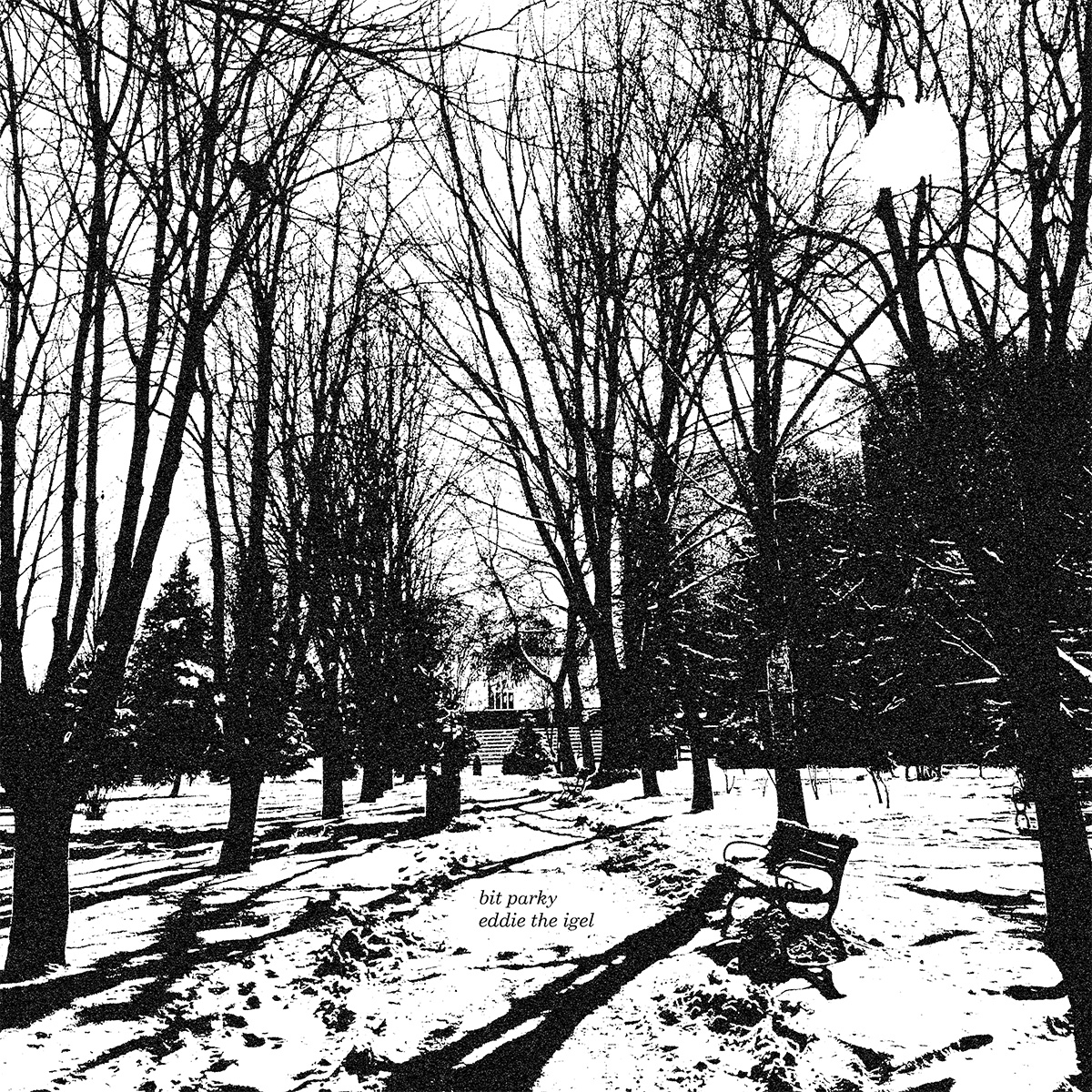
I’ve just finished a new fixed-media immersive audio piece called bit parky. I made it rather quickly and for two reasons: 1) I wanted to try out — for didactic purposes in the first instance — the reaSurroundPan reaper plugin for immersive audio; and 2) to finally make another purely digital piece for presentation at this year’s park sounds, ICEM‘s week-long celebration of electronic music in the park next to the Philharmonie Essen. My group’s focus for the last evening is upon exactly this: pure digital synthesis.
The title is a play on words. In Northern English, bit parky means the weather’s rather cold. This is usually an understatement. park sounds is sometimes cold, sometimes warm, but our programme we will offer audio bits and bytes, and music made exclusively with bits and bytes are anecdotally considered cold in the analogue audio world. Hah hah.
I’ve attached this piece to a new pseudonym I registered with the GEMA for a laugh: eddie the igel. This is also a play on words. Some people may remember the other Michael Edwards, Eddie the Eagle, the 1980s British ski-jumper whom everyone saw as a bit of a joke back then. Eddie or Eddy was, in addition, the preferred name of my dad, who despite being hilarious most of the time could sometimes be more than a little prickly, like a hedgehog, or Igel in German (pronounced almost exactly the same as the English word eagle).
algorithms
The software synths I used were zebra, pianoteq, and Ultra Analog. They were driven by algorithms I cannibalised from previous pieces — something I rarely do but here it worked: open/control/1 and olatunji entpackt. Of course there was a lot of experimentation with the MIDI data I derived from these, with transposition, voice mapping, and massive amounts of cutting and splicing by hand leading to the final form.
reaSurroundPan
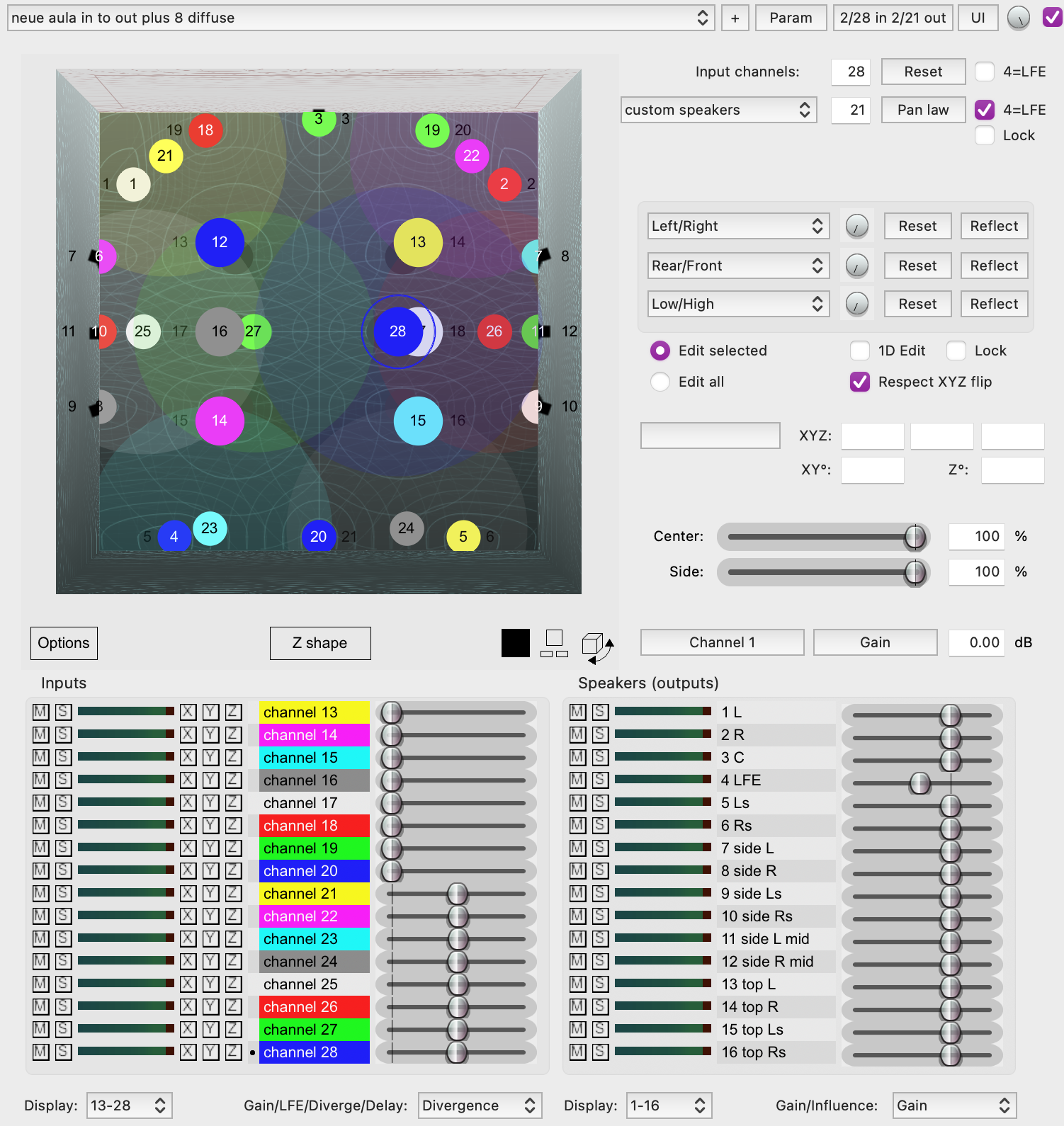
At ICEM we take an agnostic — or perhaps more apt: catholic — approach to immersive audio. We support technologies ranging from Ambisonics to Atmos to Spatial Audio Designer to Astro Spatial Audio. A fundamental difference in immersive procedures is whether you think in terms of audio scenes, i.e., independently of speaker position, or audio channels bound to speakers — even objects these days. By extending our expertise to the reaSurroundPan plugin that has been available in the DAW reaper since version 6.29 (May 2021) we have the potential to support both non-standard speaker-independent and speaker-focussed approaches with no extra technology outside of reaper required.
In bit parky I wanted to re-explore the channel-based approach, mapping sounds to specific speakers — or areas at least, if a downmix is necessary — thus circumventing the more diffuse approach of ambisonics (which I do still love of course). There’s no actual movement automation done with reaSurroundPan in this piece. Sound is however ‘thrown’ about the space, but with hand-tailored cross-fades between speaker pairs rather than with a panner. I do look forward to playing more with panner automation in the near future though.
custom speaker setups
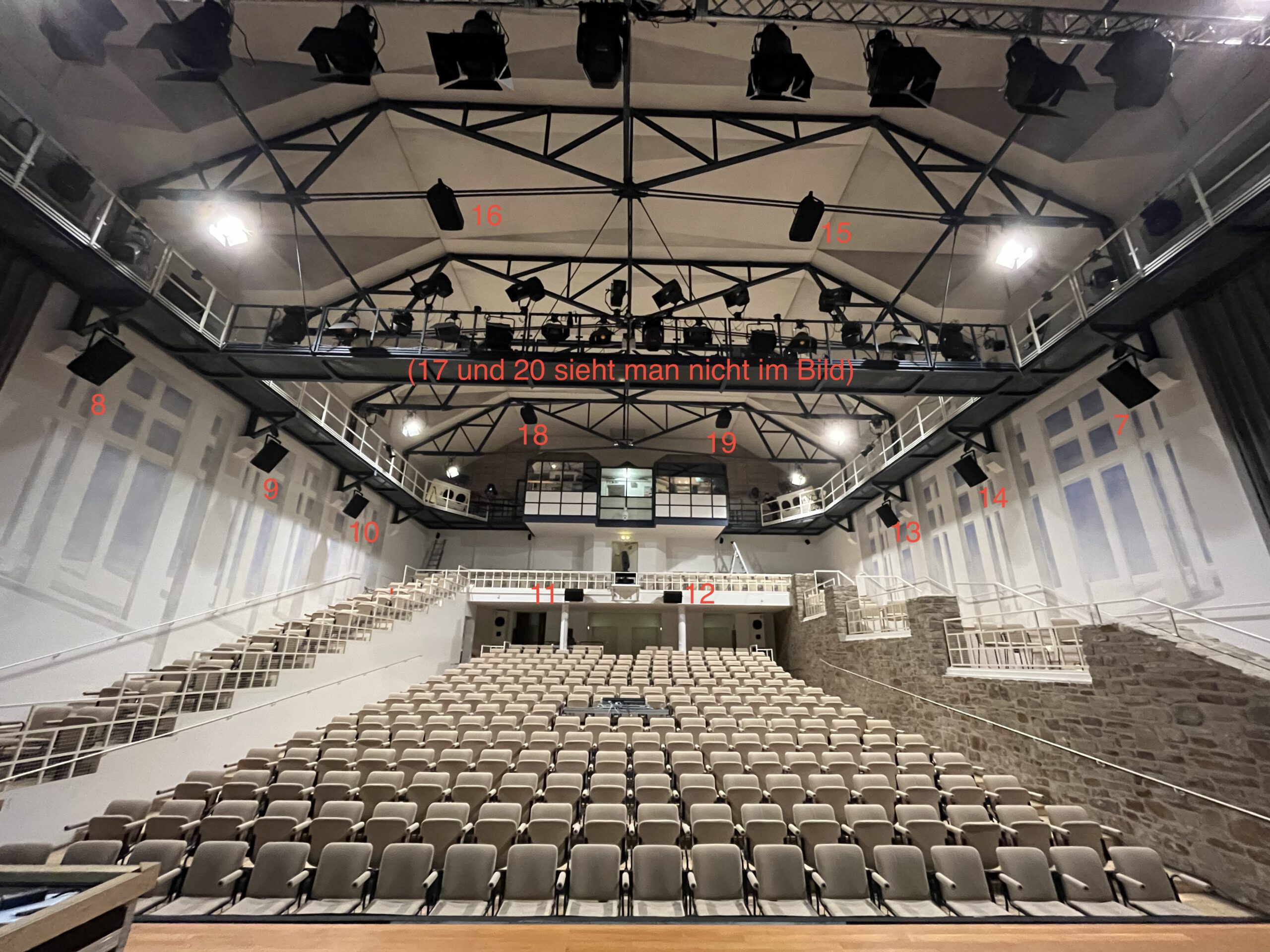
Besides the usual speaker format such as quad, octo, 7.1.4 etc., reaSurroundPan allows custom speaker setups. In the main concert hall (the Neue Aula) of the Folkwang University we have a 20.1 system. This can also be seen as 29.1 if you count the smaller fill speakers targeted at providing a decent audio experience for audience members who are sitting in sub-optimal positions. We actually do include these fills in our ambisonics decoder as the space sounds (rather surprisingly) better with these included. You can just about see some of them in the picture below, right at the back, in the gallery. (This photo doesn’t show the front speakers (K&F Vidas) and is now a little out of date, having been taken when everything was newly installed in January 2023. Moreover we’ve improved the situation by adding two speakers to the front, for a total of five, and a rear centre too.)
So, given that custom speakers are catered for in reaSurroundPan, and that the number of inputs to it can be changed and mapped independently of outputs, it’s quite trivial to enter the coordinates of the Folkwang’s Neue Aula speakers and create a piece especially for it. Performing, mixing, or listening elsewhere is just as trivial: you map input channels to the same coordinates as your main playback system’s speakers (e.g. Neue Aula 20), enter or select the coordinates of the new speaker system and let the panning system make the approximation. Whilst working in this fashion last month I discovered a bug in the plugin but the reaper people nailed that almost overnight. Sweet indeed.
channel order
Of course there are all sorts of ways of numbering speaker channels but the audio world still doesn’t seem to be able to stick to any standards. E.g. the 7.1.4 ITU standard puts the sides before the rears whereas the Nuendo DAW puts them afterwards. To be honest the latter would be my preference too, as that way you can drop in 5.1 surround files and retain the channel output numbers. That was the approach with my designation of the Neue Aula speaker routing but, given that we have a non-standard setup anyway, at some point this breaks down too. In any case, the input routing for the 20 speakers of the Neue Aula is represented in the following graphic. We omit the LFE on channel 4 as we assume mapping or panning of full-spectrum signals, but the reaSurroundPan output configuration generates an LFE signal and sends it out of channel 4 as expected. Hence if you were to directly map 20 input channels to 21 output channels, input channel 4 becomes output channel 5 and so on.
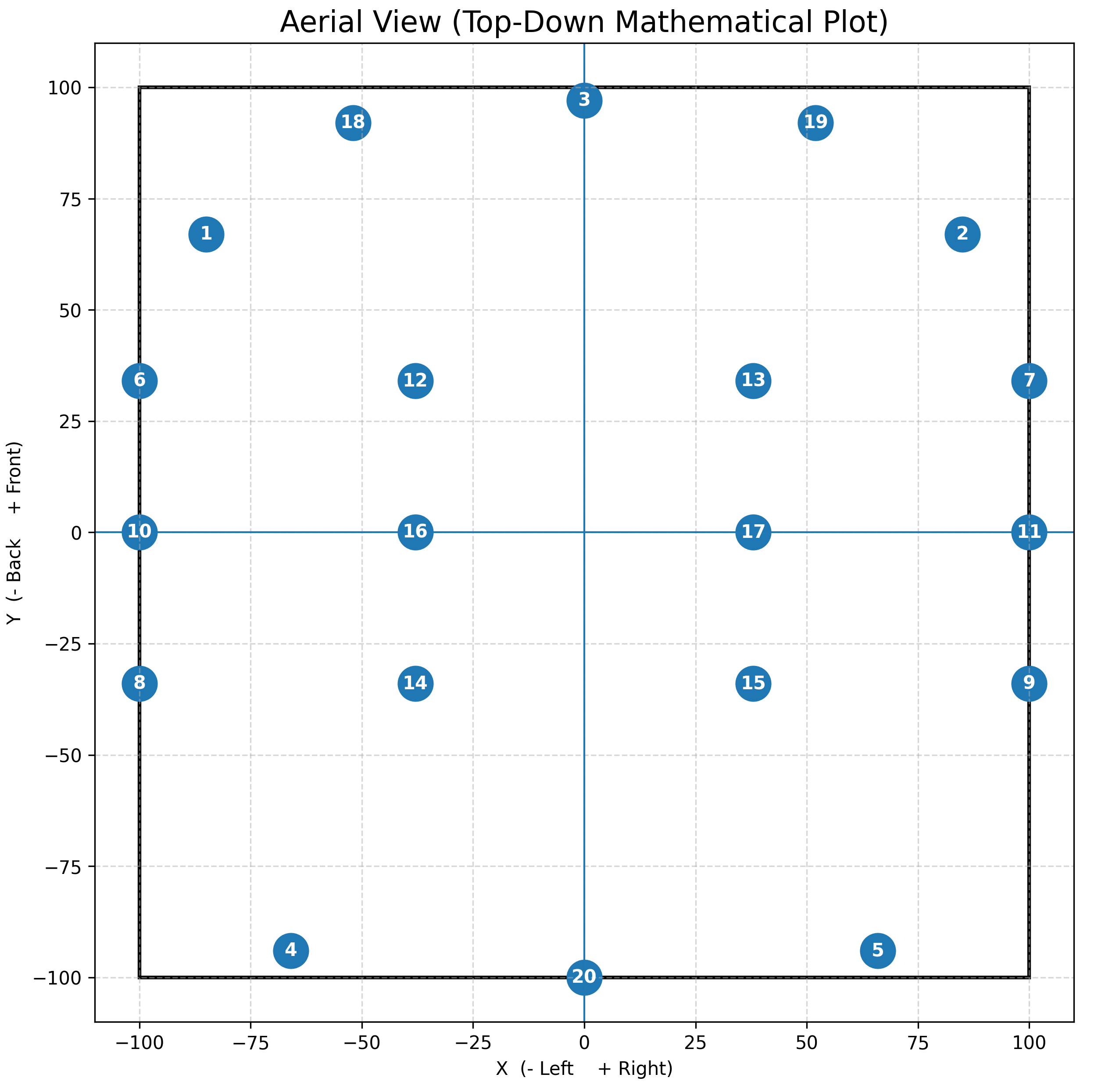
So: bit parky is 20-channel and as such is in a good position to function as an immersive archive file which can be arbitrarily mapped to any speaker system from stereo on upwards. Indeed the park sounds experience will be humble old quad — it sounds fine though, I have to say, especially as I made a separate master from the 20-channel file just for this four-channel setting.
stereo renders
An audio-geeky aside: I streamlined my studio recently. I used to have a patch bay and lots of cables but as I don’t do much purely stereo work anymore I was finding the patch bay mostly superfluous to needs. So I got rid of it and now have two main strands of audio processing and routing: analogue and digital. Of course they can be chained together in the DAW but essentially I use an external stereo insert plugin to route via AES cables from my RME Fireface 802 FS to my trusty old TC Electronic FireworX multi-effects processor and from there to the Lexicon PCM 91 reverb unit before going back into the Fireface over AES again. Either of these processors can be fully bypassed in order to send the input signal directly to the output unaltered.
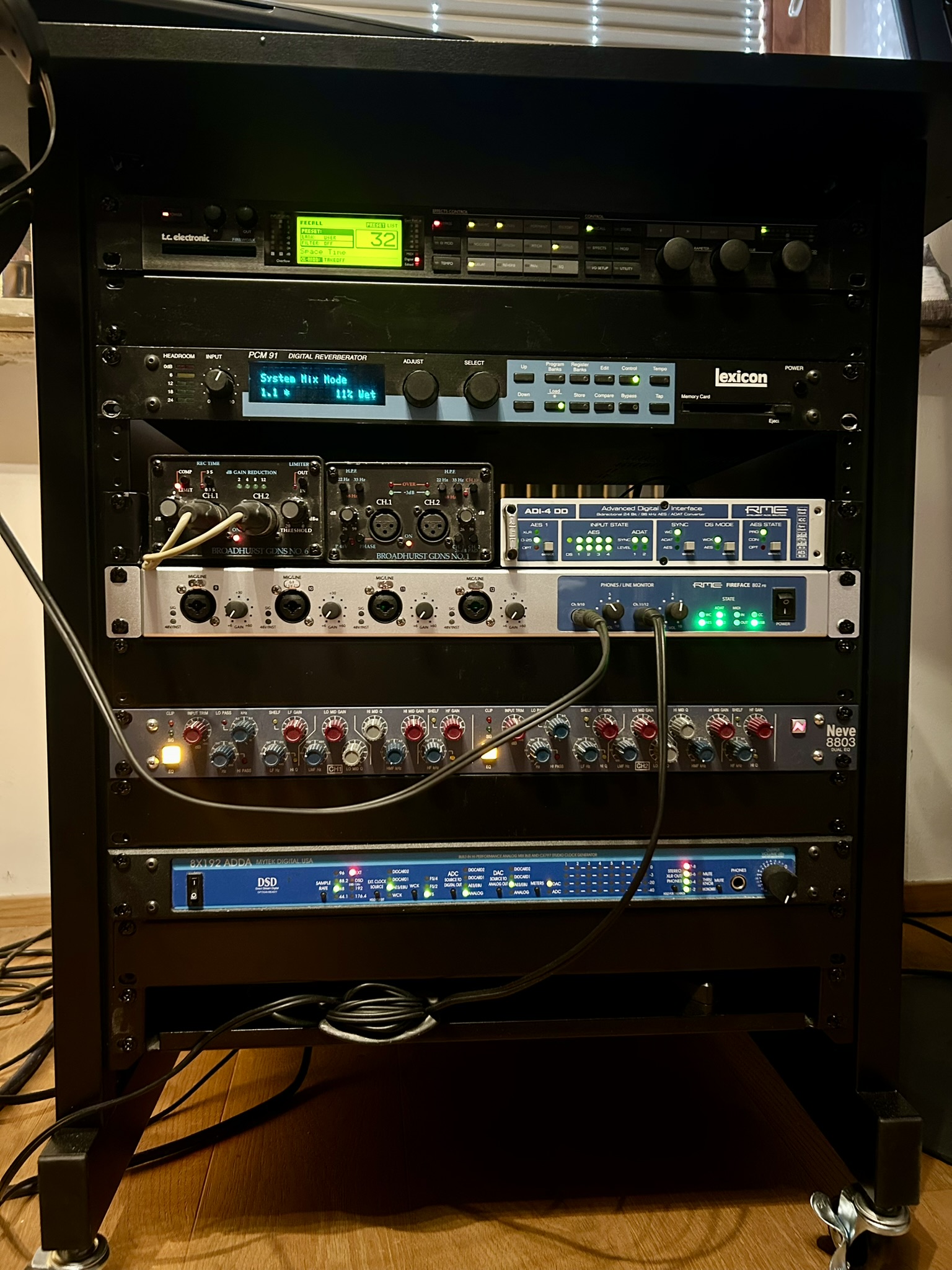
The analogue processing is more interesting. I used to use my now discontinued but still fantastic Mytek 8×192 8-channel ADDA as my main convertors but with the new Fireface in place I use the Mytek mainly for its analogue summing capability. I send four stereo submixes/stems over ADAT to the RME ADI-4 and then on to the Mytek via AES. This sums the four stereo signals and outputs one stereo mix on separate analogue outputs. This I feed through my lovely DAV Electronics Limiter/Compressor and from there through the Neve 8803 Mastering EQ. This then goes back into the Mytek for AD conversion before being routed back via AES to the ADI-4 and then over ADAT to the Fireface again. Dare I say that I think the results speak for themselves, even if the stereo master breaks the requirement to be purely digital (though of course the main 20-channel and derived quad file remain puristically digital)?:
EAR Production Suite
Love it or hate it, there are several reasonable objections to the Atmos triumvirate represented by Dolby, Apple, and Avid. These range from overly-proprietary software and formats to the use of lossy compression and the difficulty of quality-control of the production files. This is where the EAR project can step in and lift your spirits. They might not be able to generate Dolby-certified masters but they’ve got all the aspects of object-based audio you could (probably) wish for, as well higher-order Ambisonics, which Atmos (but not MPEG-H) is sorely lacking.
All sorts of plugins can create stereo binaural renders of immersive files these days. Whether you’re convinced by them is another matter, but I tend to like them, at least as an offering side-by-side with standard stereo for loudspeakers, as in this post. EAR can do binaural too, so I took advantage of the fact that EAR is a reaper- (and European!-) based project and didn’t even bother to render an intermediate 7.1.4 (or similar) file for input into an Atmos-based binaural renderer. Instead I used the rendered 20-channel file to create a 7.1.4 downmix using reaSurroundPan on-the-fly, then routed this through the EAR infrastructure to create two different headphone-focussed stereo renders. First the straightforward binaural render:
Then something a little weirder. I’ve grown to appreciate the realphones plugin for simulating studio spaces when mixing over headphones. So I generated a simple (i.e. non-binaural) stereo downmix from the reaSurroundPan plugin in a similar fashion to the 7.1.4 downmix (i.e. by simply selecting the appropriate setting from the plugin’s standard output formats) then routed this through the realphones plugin with a tweaked version of one of their standard spaces:
Leave a Reply